초대 코드로 즉시 가족 추가
가족 구성원 누구나 Tidywell에 가입하여 동일한 방, 작업 및 청소 일정을 공유할 수 있습니다. 링크나 코드만 보내면 됩니다.
회원 화면 열기
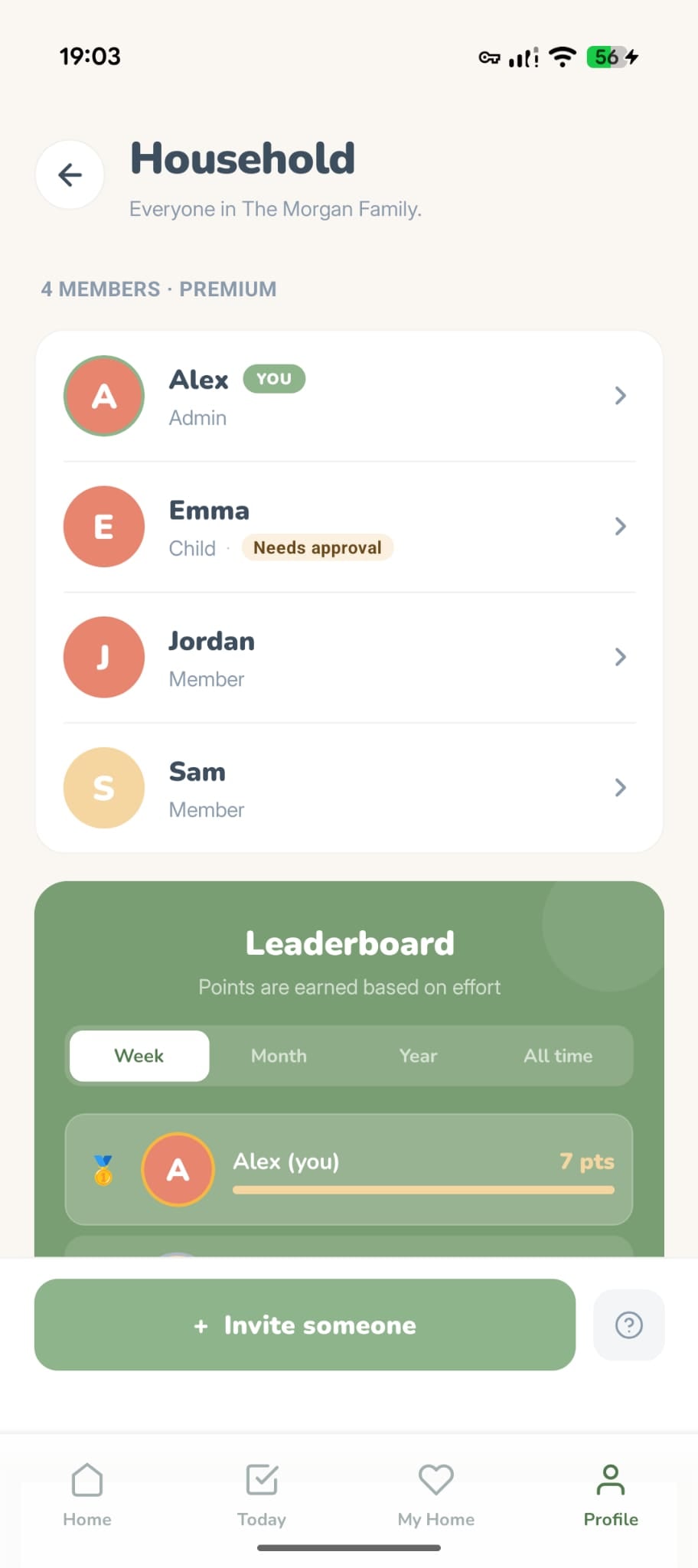
프로필 탭으로 이동하여 가족 구성원을 탭하세요. 현재 가족 구성원 모두를 볼 수 있습니다.
회원 유형을 선택하세요
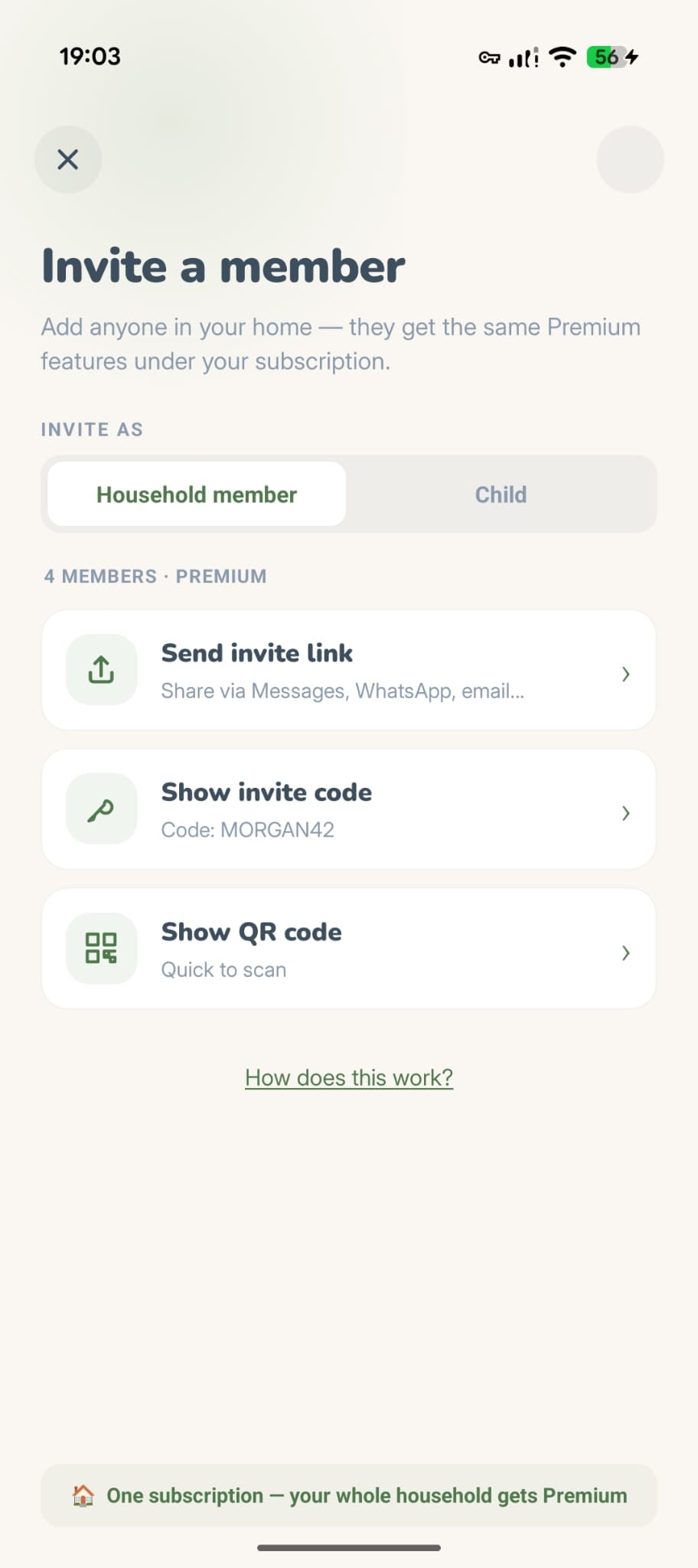
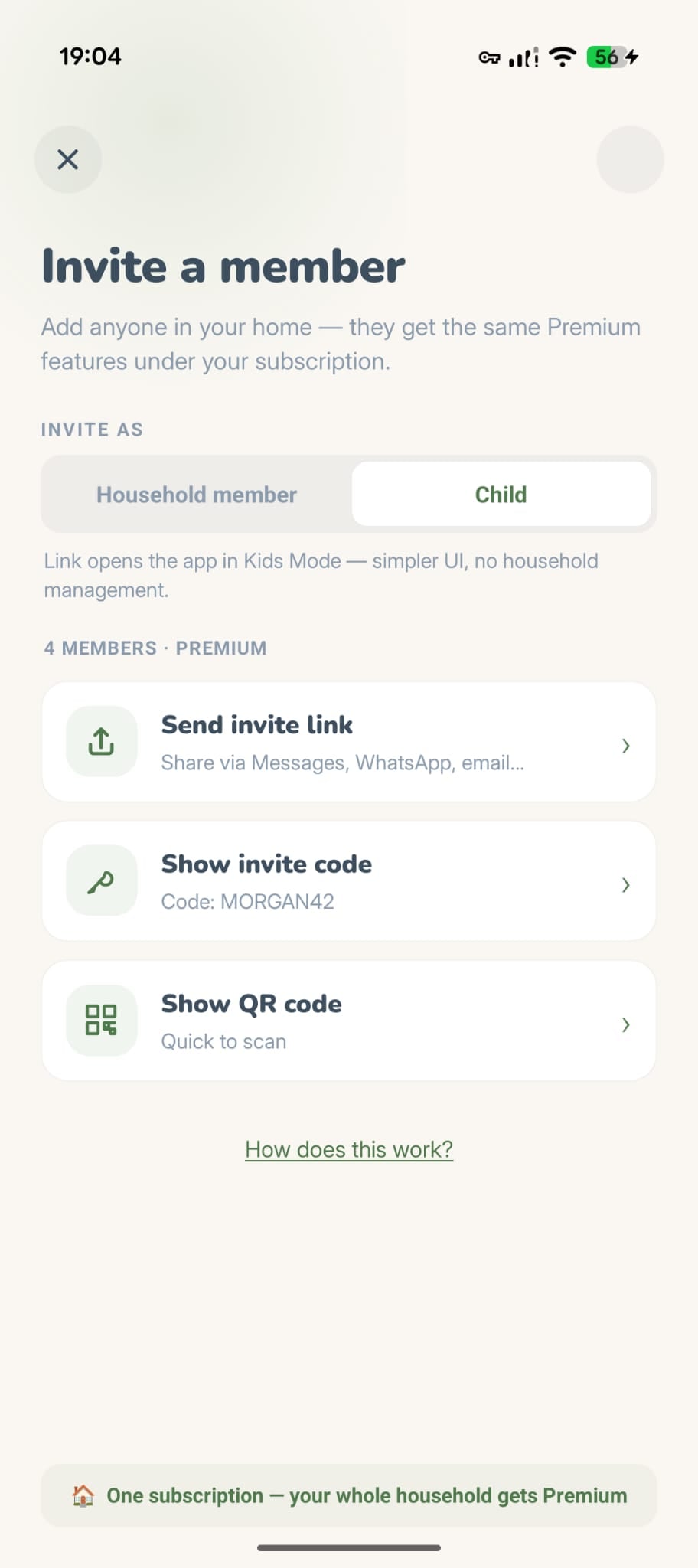
초대 버튼을 탭하세요. 회원 또는 하위라는 두 가지 옵션이 표시됩니다. 어린이를 초대하는 경우 어린이를 선택하세요. 자녀 보호 기능을 통해 간단한 경험을 얻을 수 있습니다.
초대장 보내기
공유할 방법을 선택하세요.
링크 공유
메시지, WhatsApp 또는 이메일을 통해 보냅니다.
초대 코드
앱에 입력할 수 있는 6자리 코드를 보여주세요.
QR 코드
곧 출시됩니다.
그들은 당신의 가족에 합류합니다
링크를 탭하거나 코드를 입력하면 가족의 미리보기가 표시되며 탭 한 번으로 참여할 수 있습니다. 그들은 즉시 귀하의 회의실, 작업 및 일정을 볼 수 있습니다.
무료 대 Premium
무료 가구에는 최대 2명의 구성원이 포함될 수 있습니다. 더 필요하신가요? Premium 구독 하나로 온 가족이 무제한으로 회원을 이용할 수 있습니다. 모두가 혜택을 받고, 한 사람만 비용을 지불합니다.
어린 자녀를 위한 안전하고 부드러운 모드
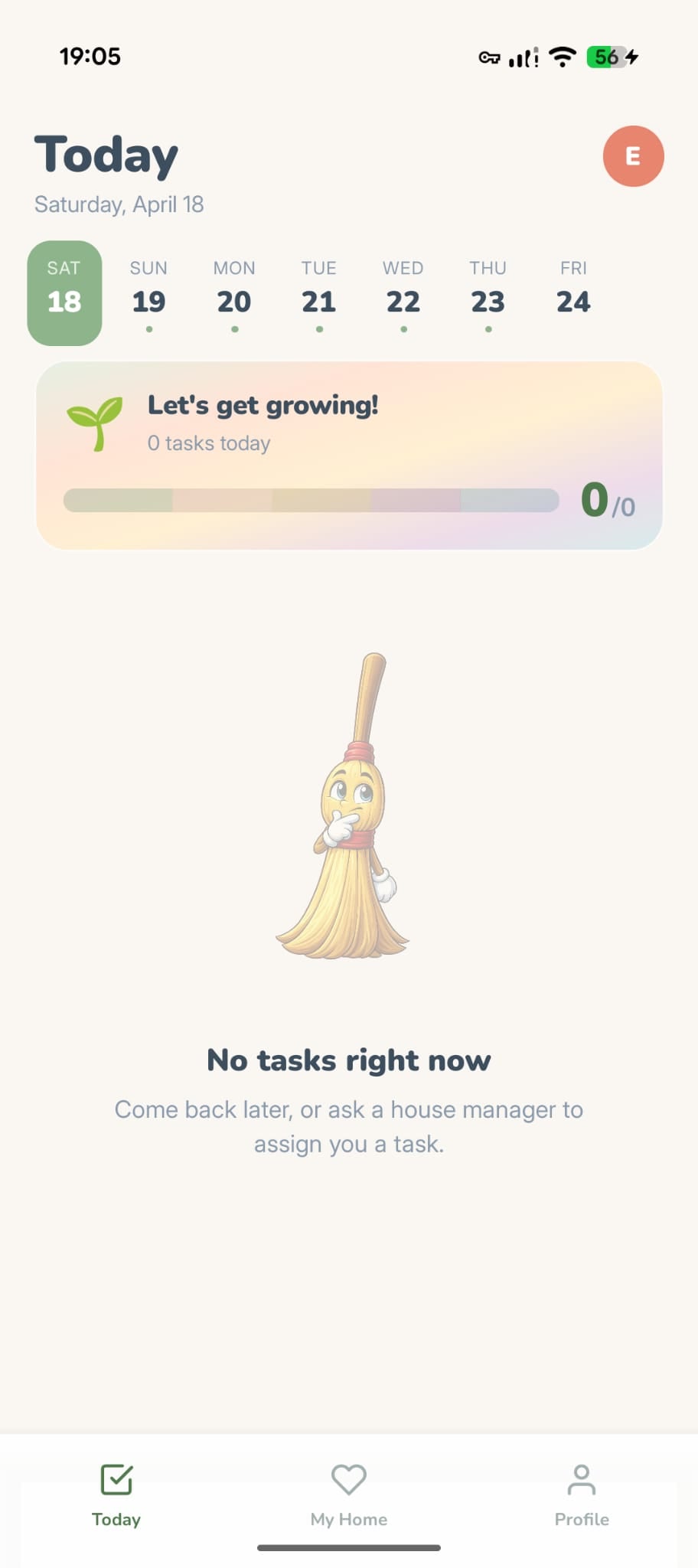
누군가를 자녀로 초대하면 관리 제어 기능이 없고 완료된 작업에 대한 선택적인 부모 승인이 없는 단순화된 버전의 Tidywell를 받게 됩니다. 아이들이 만져서는 안되는 설정에 접근하지 않고도 집안일을 도울 수 있도록 설계되었습니다.
아이들이 할 수 있는 일
- 할당된 작업 보기
- 작업을 완료로 표시
- 코인, 연속 획득, 성과 달성
- 가족 참여 Live Sprints
- 증거로 전후 사진을 찍으세요.
- 가상 가구에 코인을 사용하세요
- 집중 모드와 돌림판 사용
아이들에게 숨겨짐
- 집안일 만들기, 수정, 삭제
- 가격이나 업그레이드 안내를 보거나 무언가를 구매하기
- 새로운 가족 구성원 초대
- 계정 또는 알림 설정에 액세스
- 집 레이아웃 또는 청소 환경설정 변경
- 통계 또는 휴가 모드 보기
- 다른 회원의 작업 승인
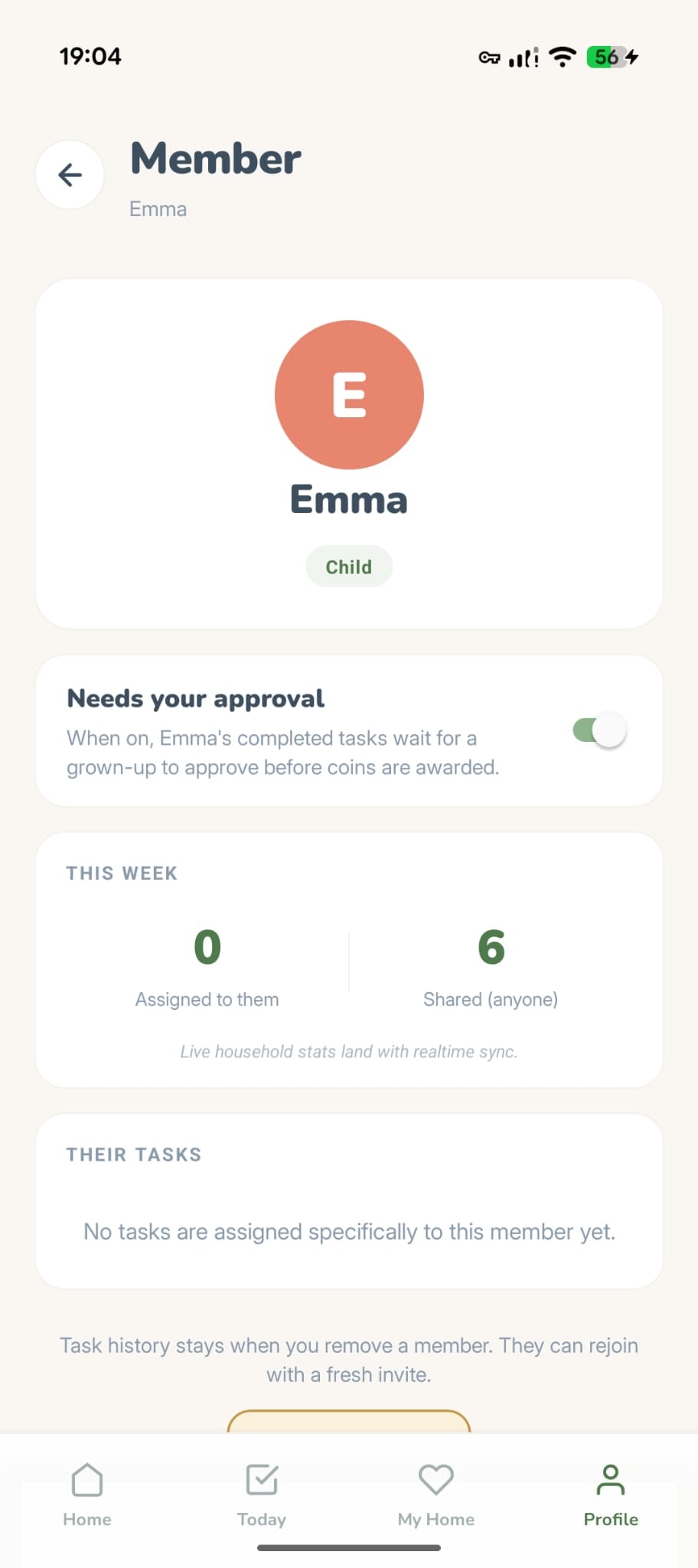
선택사항: 승인 필요
초대한 아이는 승인이 기본으로 켜져 있어요. 끝낸 집안일은 승인을 기다린 뒤에 코인이 들어와요. 관리자(또는 아이를 추가한 부모)가 아이 상세 화면에서 언제든 바꿀 수 있어요. 전/후 사진이 있으면 확인하기 쉬워요.
코인은 각자의 것
코인은 구성원 각자가 할 일을 체크해서 모으고 자기 가구에 써요. 가족 공동 저금통은 없고, 다른 사람이 청소했다고 내 잔액이 바뀌지 않아요.
- 함께 보는 건 코인이 아니라 포인트예요. 구성원 화면의 순위표는 노력에 따라 정렬되고, 그 '오늘' 탭은 오늘 탭의 '오늘 완료'와 일치해요.
- 마이 홈의 잔액은 오직 내 것이에요. 옆의 ⓘ에도 그렇게 적혀 있어요. 구성원은 각자 자기 코인으로 자기 방을 꾸며요.
- 나누고 싶다면 구성원 프로필에서 코인을 선물로 보내세요. 코인이 사람 사이를 오가는 유일한 방법이에요.
관리자, 구성원, 자녀 — 누가 무엇을 할 수 있는지
모든 가족 구성원은 세 가지 역할 중 하나를 수행합니다. 가구를 만드는 사람은 자동으로 관리자가 됩니다.
모든 권한을 갖습니다. 구성원을 초대 및 제거하고, 방과 작업을 관리하고, 가족 설정을 변경하고, Kid Mode 승인을 전환하고, 집 레이아웃을 재구성할 수 있습니다. 가구 생성자는 항상 관리자입니다.
작업을 완료하고, 다른 사람을 초대하고, 스프린트에 참여하고, 순위표를 보고, 코인을 획득하고, 가상 집을 장식할 수 있습니다. 구성원을 제거하거나 홈 레이아웃을 재구성할 수 없습니다.
간단한 화면이에요. 관리 화면(초대, 설정, 방)은 완전히 숨겨지고, 아이는 집안일을 만들거나 수정하거나 삭제할 수 없어요. 부모는 승인을 요구할 수 있어요. 코인은 어른과 같은 비율로 받아요.