Zapraszanie członków domu i tryb Dzieci
Tidywell działa najlepiej jako zespół. Oto jak zaprosić rodzinę, współlokatorów lub dzieci, i co naprawdę robi tryb Dzieci.
Dodaj rodzinę natychmiast za pomocą kodu zaproszenia
Każdy członek Twojego gospodarstwa domowego może dołączyć do Tidywell i dzielić te same pokoje, zadania i harmonogram sprzątania. Wystarczy wysłać im link lub kod.
Otwórz ekran Członkowie
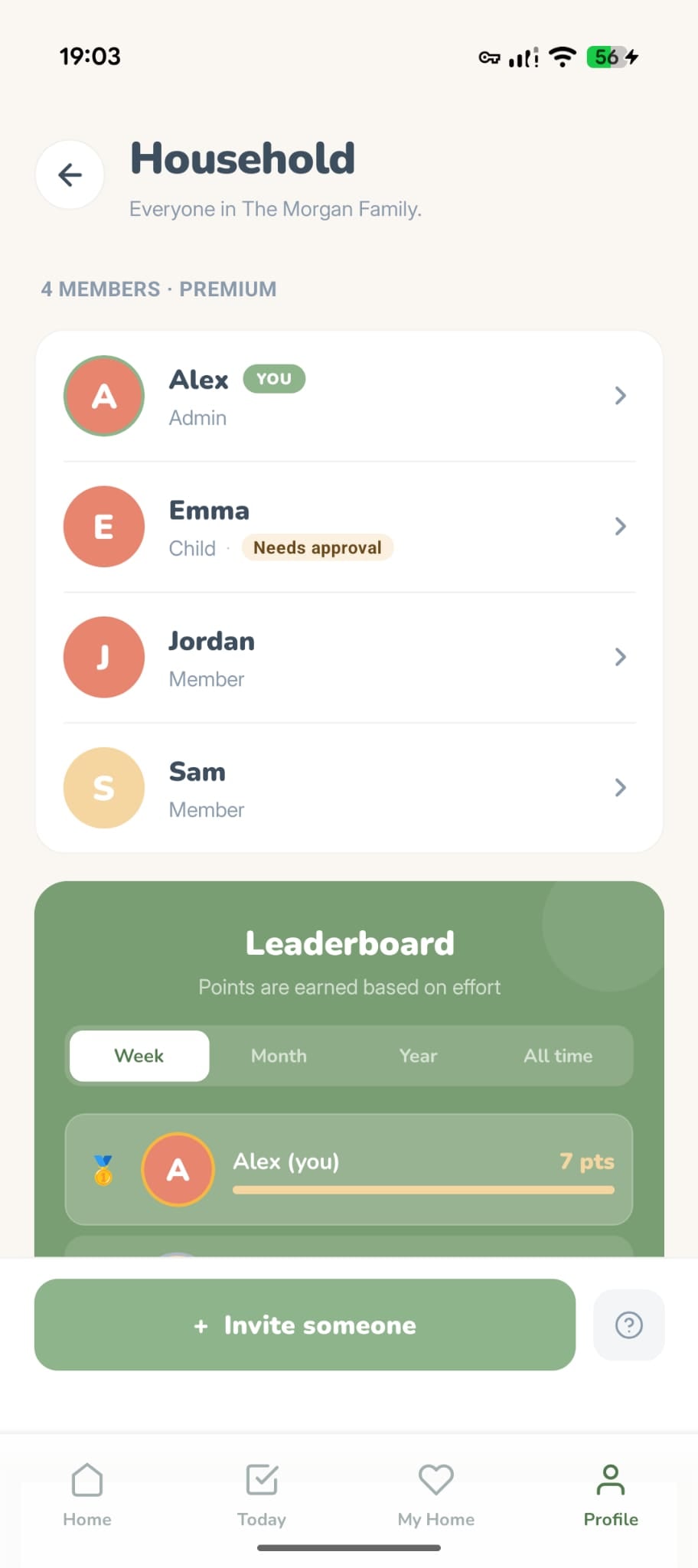
Przejdź do zakładki Profil i dotknij Członkowie gospodarstwa domowego. Zobaczysz wszystkich obecnych domowników.
Wybierz typ członka
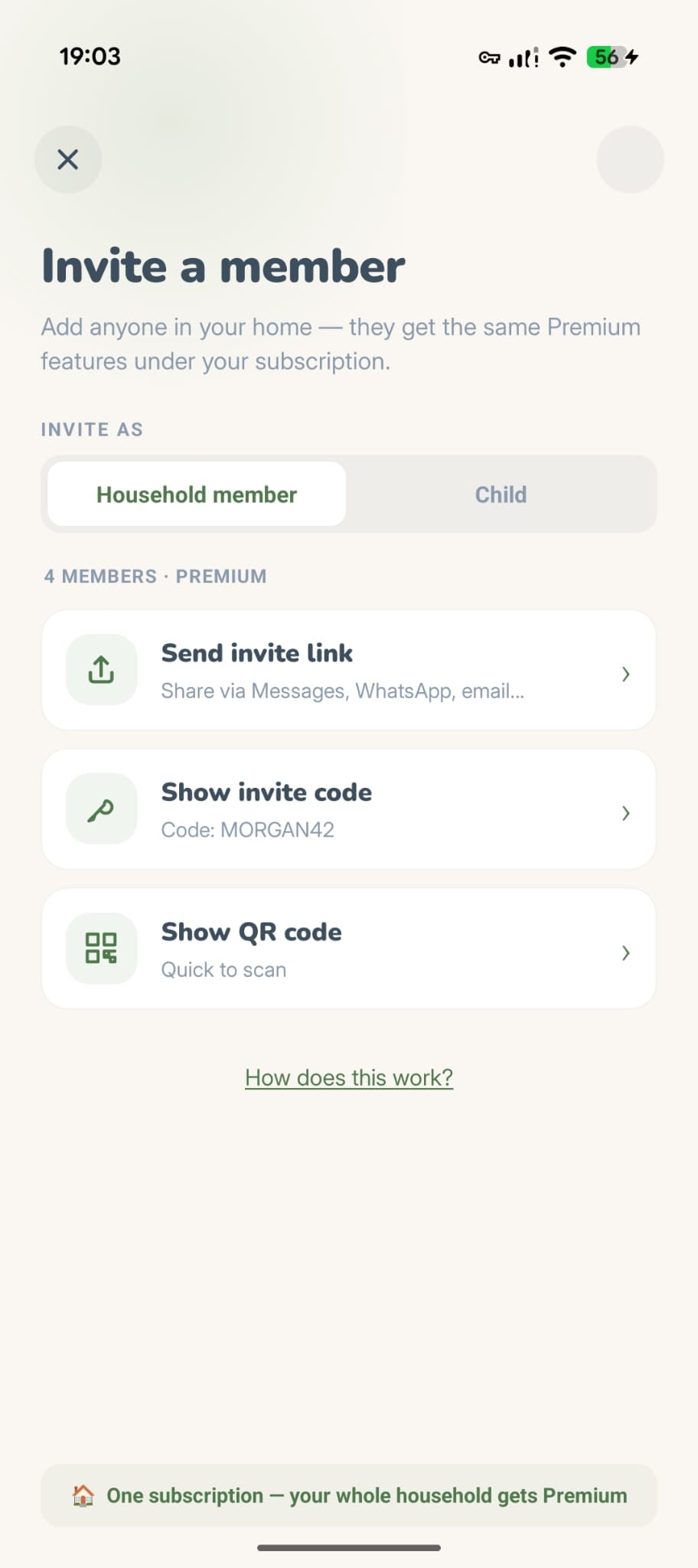
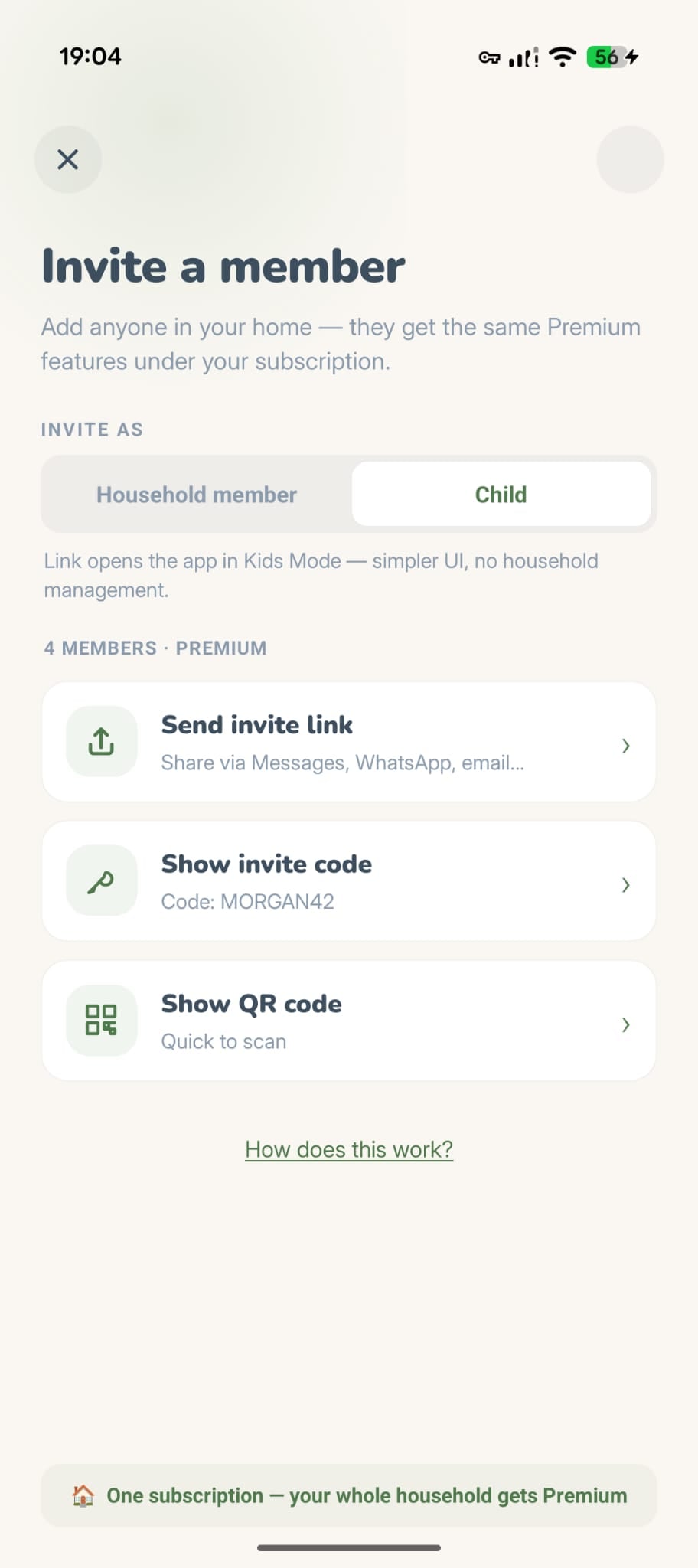
Stuknij przycisk Zaproś. Zobaczysz dwie opcje: Członek lub Dziecko. Wybierz Dziecko, jeśli zapraszasz dziecko. Uzyskają uproszczoną obsługę kontroli rodzicielskiej.
Wyślij zaproszenie
Wybierz sposób udostępniania:
Udostępnij link
Wyślij za pośrednictwem Wiadomości, WhatsApp lub e-maila.
Kod zaproszenia
Pokaż 6-znakowy kod, który można wpisać w aplikacji.
Kod QR
Już wkrótce.
Dołączają do Twojego domu
Gdy klikną link lub wprowadzą kod, zobaczą podgląd Twojego gospodarstwa domowego i będą mogli dołączyć jednym dotknięciem. Natychmiast zobaczą Twoje pokoje, zadania i harmonogram.
Bezpłatnie vs Premium
Darmowe gospodarstwa domowe mogą mieć maksymalnie 2 członków. Potrzebujesz więcej? Jedna subskrypcja Premium odblokowuje nieograniczoną liczbę członków dla całego gospodarstwa domowego. Wszyscy korzystają, tylko jedna osoba płaci.
Bezpieczny, łagodny tryb dla młodszych dzieci
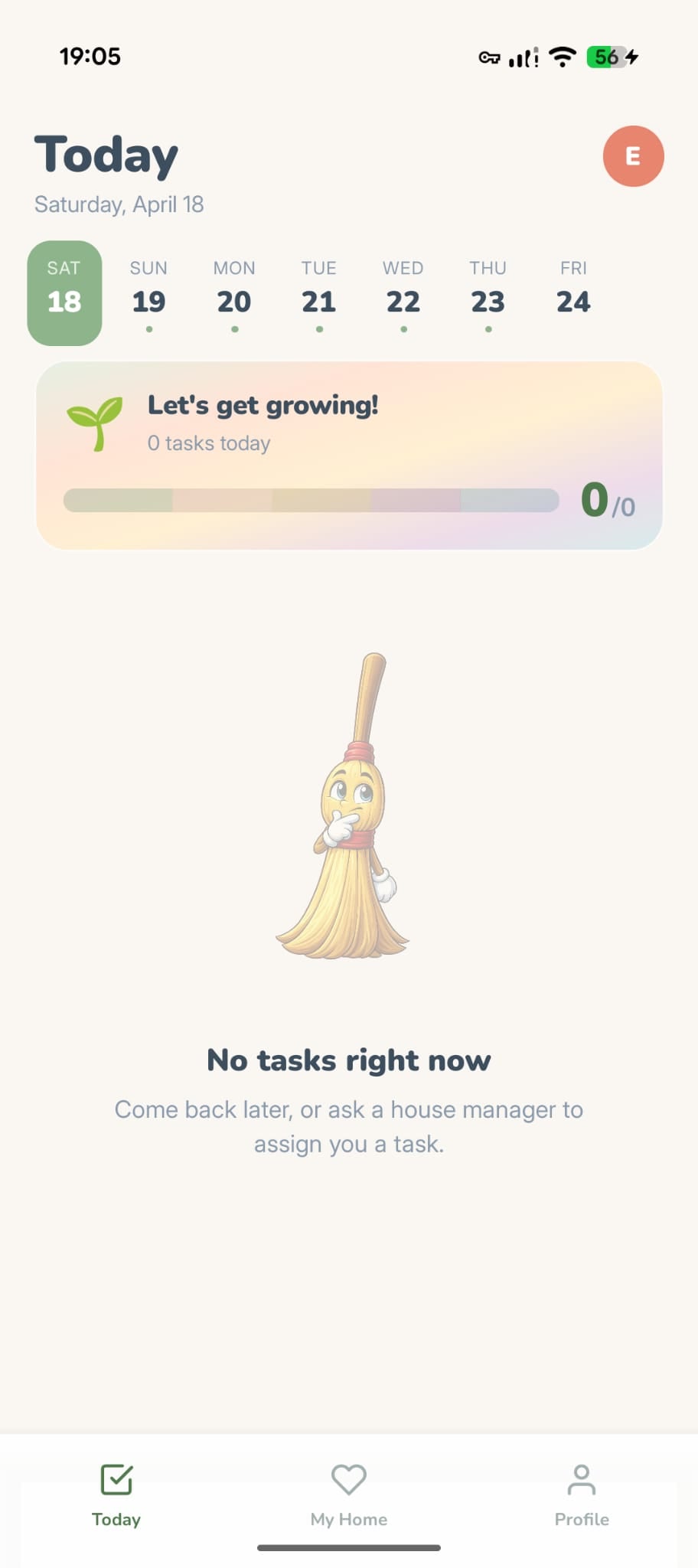
Gdy zaprosisz kogoś jako Dziecko, otrzyma on uproszczoną wersję Tidywell bez kontroli zarządczych i opcjonalnej zgody rodziców na ukończone zadania. Został zaprojektowany tak, aby dzieci mogły pomagać w domu bez konieczności uzyskiwania dostępu do ustawień, których nie powinny dotykać.
Co potrafią dzieci
- Zobacz przydzielone im zadania
- Oznacz zadania jako wykonane
- Zarabiaj monety, smugi i osiągnięcia
- Dołącz do gospodarstwa domowego Live Sprints
- Zrób zdjęcia przed/po jako dowód
- Wydawaj monety na wirtualne meble
- Korzystać z trybu skupienia i koła zadań
Ukryty przed dziećmi
- Tworzyć, edytować ani usuwać zadań
- Widzieć cen ani ofert Premium, ani niczego kupować
- Zaproś nowych domowników
- Uzyskaj dostęp do ustawień konta lub powiadomień
- Zmień układ domu lub preferencje dotyczące sprzątania
- Wyświetl statystyki lub tryb wakacyjny
- Zatwierdzaj zadania innych członków
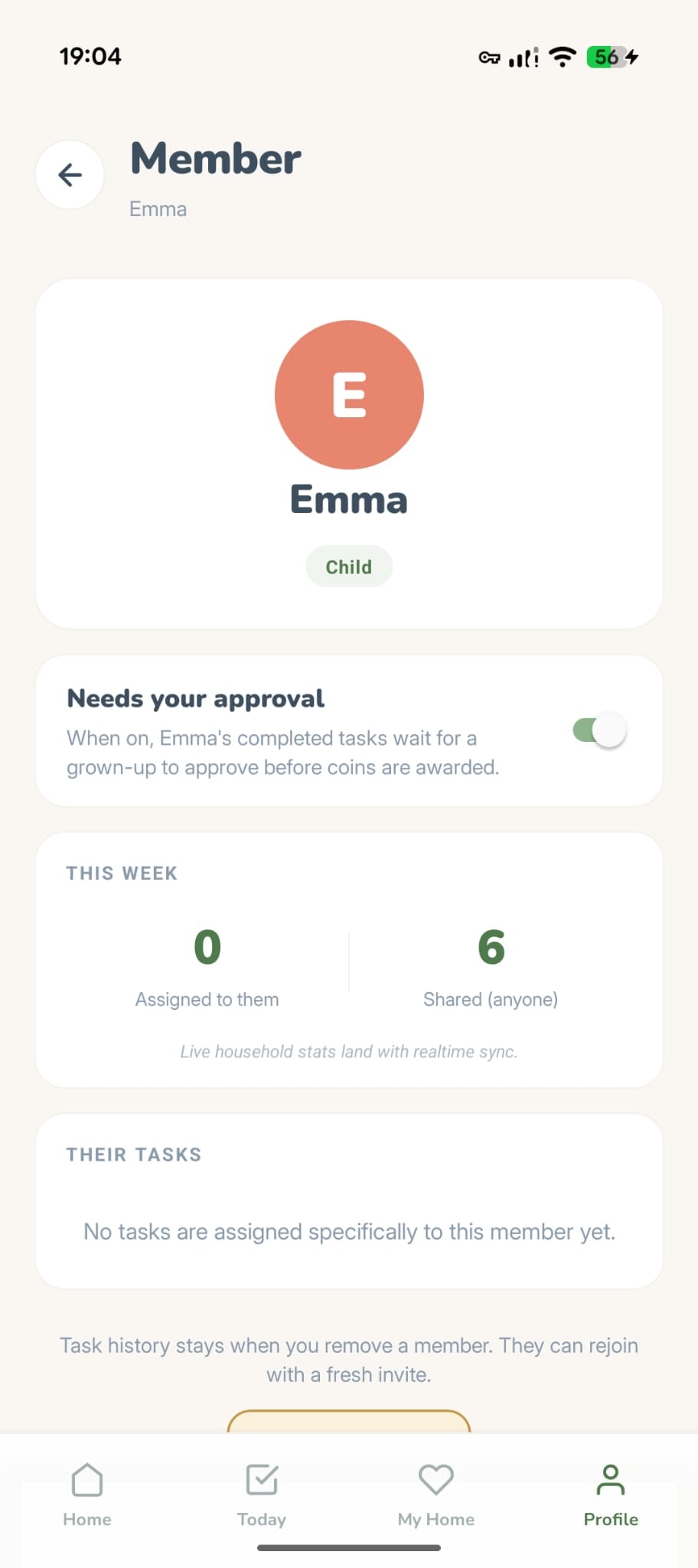
Opcjonalnie: wymagaj zatwierdzenia
Zaproszone dzieci mają zatwierdzanie włączone domyślnie: ukończone zadania czekają na Twoją zgodę, zanim pojawią się monety. Admin — lub rodzic, który je dodał — może to zmienić w dowolnej chwili w szczegółach dziecka. Zdjęcia przed/po ułatwiają sprawdzenie.
Monety są osobiste
Każdy domownik zdobywa własne monety, odhaczając zadania, i wydaje je na własne meble. Nic nie trafia do wspólnej puli, a saldo jednej osoby nigdy nie zmienia się dlatego, że posprzątał ktoś inny.
- Wspólnym widokiem są punkty, nie monety. Ranking na ekranie Członkowie porządkuje wszystkich według wysiłku, a jego zakładka Dziś odpowiada „Zrobione dziś” z zakładki Dzisiaj.
- Twoje saldo na ekranie Mój dom należy tylko do Ciebie — mówi o tym ⓘ obok. Każdy domownik urządza swój pokój za własne monety.
- Chcesz się podzielić? Wyślij monety w prezencie z profilu domownika. To jedyny sposób, w jaki monety przechodzą między osobami.
Administrator, członek, dziecko — kto może co zrobić
Każdy członek gospodarstwa domowego pełni jedną z trzech ról. Osoba tworząca gospodarstwo domowe staje się automatycznie Administratorem.
Pełna kontrola. Może zapraszać i usuwać członków, zarządzać pokojami i zadaniami, zmieniać ustawienia gospodarstwa domowego, przełączać zatwierdzenie Kid Mode i zmieniać układ domu. Twórca gospodarstwa domowego jest zawsze administratorem.
Może wykonywać zadania, zapraszać innych, brać udział w sprintach, przeglądać tabelę wyników, zarabiać monety i dekorować wirtualny dom. Nie można usunąć członków ani zmienić układu domu.
Uproszczony widok. Ekrany zarządzania (zapraszanie, ustawienia, pokoje) są całkowicie ukryte, a dzieci nie mogą tworzyć, edytować ani usuwać zadań. Rodzice mogą wymagać zatwierdzenia. Dzieci zdobywają tyle samo monet co wszyscy.